Outcomes
The problem
HTML email is the one corner of the web that never modernized. Outlook still renders with Word's engine, so anything fancier than nested tables and inline styles breaks for a meaningful share of recipients. In practice that leaves teams with two options: route every campaign through a developer who hand-codes tables, or pay for a SaaS builder whose output they don't control.
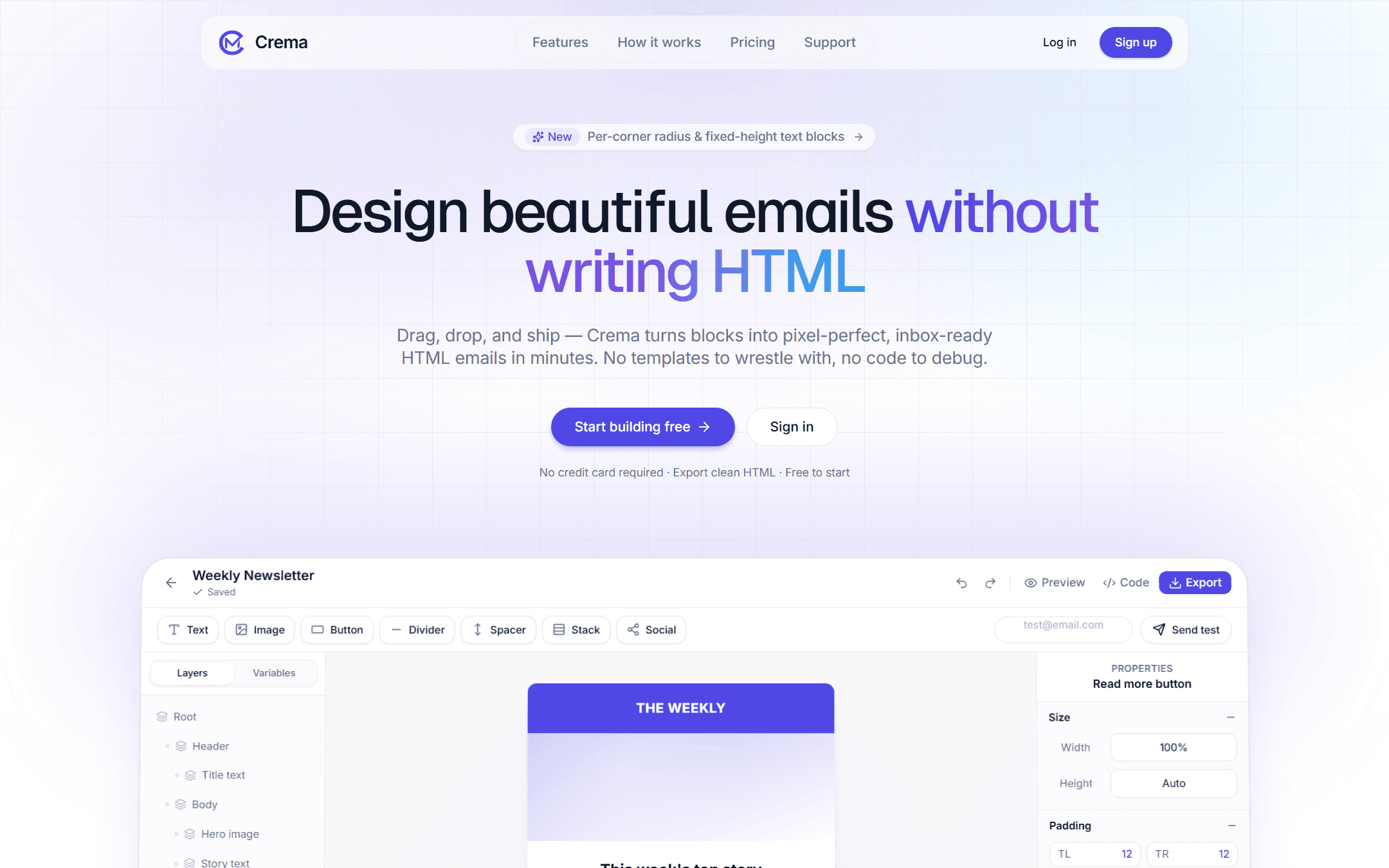
Crema is my answer to that gap: a visual editor that someone without code can use, generating markup conservative enough to survive real inboxes. The engineering challenge is exactly that split personality. The editing surface is a modern React app, the export is deliberately old-fashioned HTML, and the product is only trustworthy if the two never drift apart.
What it does
- Composes emails from nestable, reorderable blocks: text, images, buttons, dividers, and stacks.
- Exports table-based, inbox-ready HTML rather than the modern CSS a browser preview would suggest.
- Offers pixel-level styling controls - per-corner radius, padding, typography - without writing code.
- Switches between desktop and mobile previews before anything is sent.
- Saves and duplicates reusable templates from a dashboard, and sends test emails from the editor.
From editor state to email HTML
The editor renders a normal React tree with flexbox, while the exported email needs nested tables and inline styles. A serialization layer converts the same block state into both representations. This keeps the preview and exported file aligned without exposing raw CSS to the user.
Editor state, undo, and autosave
The document is a tree of seven block types held in a Zustand store, with stacks nesting inside stacks, and every mutation is an immutable recursive update over that tree. Undo and redo work on snapshots of the whole document, with high-frequency edits like typing and dragging coalesced so a burst of changes collapses into one undo step. The editor autosaves after a short pause and records throttled version checkpoints, so an earlier version of a template can be restored from the history panel at any time.
Surviving real inboxes
The export pipeline is split into per-block style modules, and the generated markup carries the Outlook-specific fixes this kind of work actually needs, like mso-height-rule for fixed-height buttons and mso-hide for collapsed elements. Templates also support merge tags in the native syntax of Brevo, Mailchimp, and SendGrid, so an exported file drops straight into a real campaign instead of going through find-and-replace first.
Running it as a product
Crema runs as a small SaaS rather than a demo. Accounts come in Free, Pro, and Pro+ tiers billed through Lemon Squeezy, with subscription state synced from webhooks and plan limits enforced when someone downgrades. Visitors can try the editor before creating an account, with their draft autosaved in the browser, and test emails go out through Resend so a design can be judged in an actual inbox, not just the preview.
Honest limits
There is no automated rendering matrix yet: exports are verified through the built-in preview and test sends to real clients, and a snapshot test suite over the generated HTML is the next thing the project needs. Undo history also lives only in memory, so it does not survive a reload; the saved version checkpoints cover that gap for now.